
Good Day!
Remember when I first started bug hunting? I used to think looking into JS files was unnecessary — would I really find bugs in files everyone can see? But after some reading, I realized I was missing out on a lot. So I want to share some resources, tools, tutorials, and other ways to dig deeper into JavaScript analysis.
Resources and Tools
Diving into JS files can be very rewarding. It lets you uncover hidden functionality, credentials, API keys, paths, and more — especially valuable for finding client-side vulnerabilities like XSS.
A great starting point is this short video where Tomnomnom talks about Chrome Dev Tools and shares some cool tips: watch here.
My own approach is simple: I read JS files manually to see if anything catches my eye. For quick viewing of HTML, JavaScript, and CSS I use the Fire Source Viewer extension. Leave a comment if you know a better one.
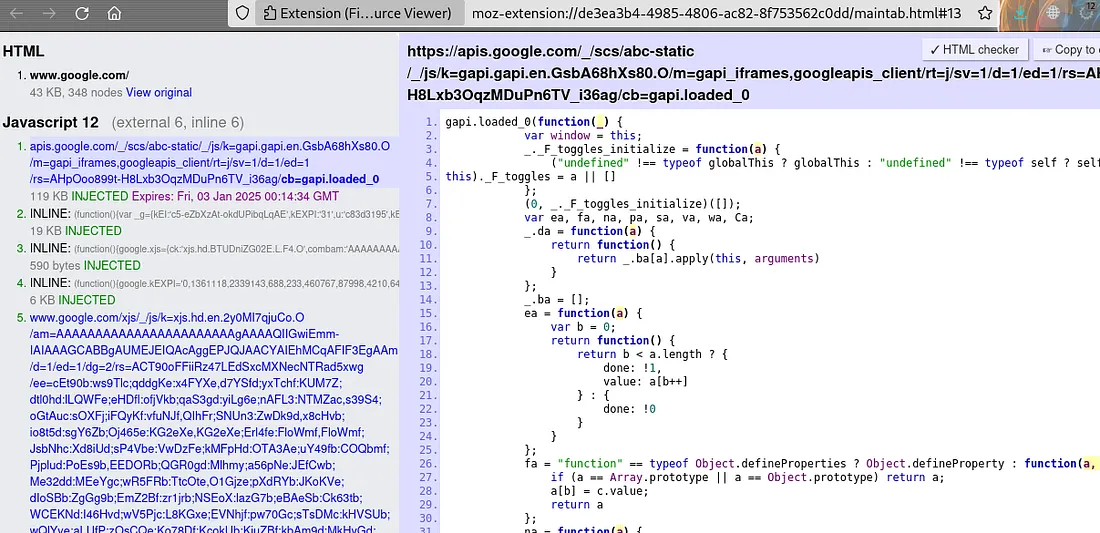 For automated help I usually reach for two tools:
- JSleak — an easy-to-use command-line tool for uncovering secrets and links in JavaScript files.
- JSecret — a simple, fast tool for detecting sensitive data in source code such as JavaScript files.
echo "http://target.com" > target.txt
cat target.txt | grep ".js$" | uniq | jsleak -l -s
cat target.txt | grep ".js$" | uniq | jsecret
Notes:
grep ".js$"matches lines ending in.js(without the$it would also grab.jsonfiles).uniqremoves repeated lines.
Another approach I picked up from Jayesh (one of the top 15 on HackerOne) is to collect URLs with Katana and waymore, filter the .js files, download them with wget or curl, and run jsluice on them.
More important than any tool, though, is learning the JS fundamentals: the Document Object Model (DOM), how JavaScript handles events (clicks, keypresses, form submissions) and how to attach handlers, Ajax and the Fetch API, and more. I don’t know one course that covers it all, but you can search and learn each concept as you go.
I also highly recommend this Arabic playlist on doing JS analysis with different methods.
A few JS-related bug reports worth studying:
- Admin account/panel takeover via DOM-based XSS — report
- API leak in a JS file — report
- JavaScript injection and JS bridge takeover — report
I’m no JS master — I just wanted to share some helpful experience. Don’t forget to check out my previous write-up. Hope you found this interesting!